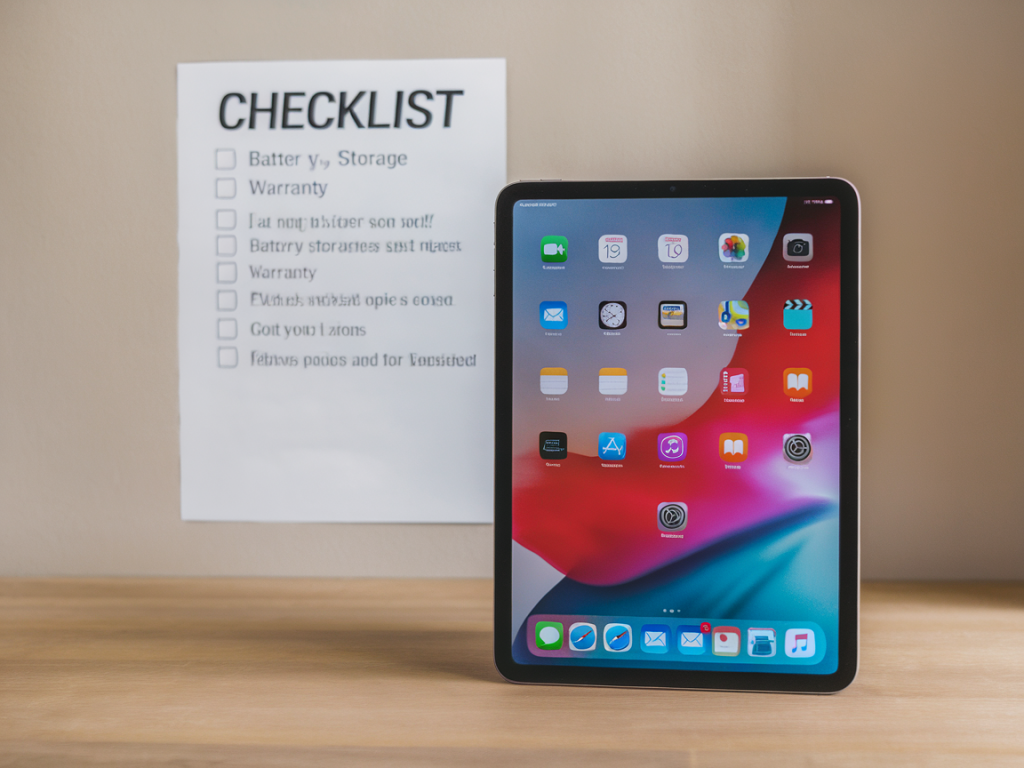
I’ve bought a few refurbished iPads over the years — partly to save money, partly because I like the idea of giving tech a second life. If you’re thinking about the same, picking a refurbished iPad that will actually last boils down to three pragmatic concerns: battery, storage, and warranty. Below I share the checklist I use (and the tests I run) before I press “buy” or “accept delivery.” It’s practical, a little forensic, and grounded in what’s realistic for day-to-day use.

Understand what “refurbished” means

Not all refurbished devices are equal. In my experience, sellers fall into a few categories:

  • Apple Certified Refurbished — devices that Apple has inspected, replaced parts as needed, and sold with a new-style box and one-year warranty.
  • Manufacturer or retailer refurbished — big stores like Best Buy or Currys sometimes have their own refurb process; coverage varies.
  • Third-party refurbishers — smaller companies or marketplaces (e.g., Back Market, Swappa, eBay sellers) that repair and test devices before resale.
  • Knowing which category you’re buying from immediately sets expectations for testing, return policies, and support. I personally prefer Apple Certified or well-rated third-party refurbishers with transparent test reports and at least a 6–12 month warranty.

    Battery: the single most important factor

    Battery health determines how long the device will be useful without constant charging. iPad batteries degrade slowly compared to phones, but a worn battery can render a device frustrating to use. Here’s what I check:

  • Battery health percentage or cycle count: Ask the seller for a battery health reading or cycle count. Apple doesn’t show battery percentage on iPadOS like it does on macOS, but reputable sellers often provide diagnostics. As a rule of thumb:
  • Battery condition What I expect
    Excellent ≥ 90% health or low cycle count (under ~500 cycles)
    Good 75–90% health or moderate cycles (500–1000)
    Poor <75% health or very high cycles — consider replacement cost

    If a seller can’t or won’t provide any battery data, I factor that uncertainty into the price I’m willing to pay.

  • Ask about battery replacement: Some refurbished iPads come with a replaced battery or with a receipt that the battery was serviced. This is ideal — a freshly replaced battery buys you years of reliable use.
  • Do a simple on-arrival test: When the iPad arrives, charge it to 100% and see how quickly it drains with normal tasks (web browsing, videos, light games). If it drops several percent within an hour doing nothing, that’s a red flag.
  • Storage: how much is enough?

    Choosing storage depends on how you plan to use the iPad. I always think about current needs plus a margin for future apps, downloads, and system updates.

  • Usage scenarios:
  • Light use (reading, browsing, streaming): 64–128 GB is usually fine.
  • Media-heavy (movies, photos, music, offline maps): 256 GB or more.
  • Pro workflows (video editing, large photo libraries, music production): 512 GB+ or consider cloud + external SSD.
  • Refurbished models sometimes come in older storage tiers. I avoid models where storage is too tight — you can’t upgrade internal storage on iPads, and a full device makes iPadOS sluggish over time.

  • Check for iCloud and Activation Lock: Make sure the device is not linked to another Apple ID (Activation Lock). Ask the seller to remove their iCloud account before shipping. On arrival, sign in with your Apple ID and set up as new.
  • Warranty and return policy: negotiate for safety

    A good warranty covers you for the unexpected and signals confidence from the seller. I look for:

  • At least 90 days warranty for third-party sellers; 12 months from Apple.
  • Clear return window (preferably 14–30 days) so you can test the device properly at home.
  • Options for extended coverage: some sellers let you buy extra months of warranty, which I sometimes do for older models.
  • Document everything: save the invoice, warranty details, and any test screenshots. If something goes wrong, a clear paper trail speeds up refunds or repairs.

    What to test on arrival — my quick checklist

    I open a small checklist app on my phone and work through this the first hour after unboxing. I do these tests in a calm, well-lit space:

  • Visual inspection: no deep dents, cracked screen, corrosion around ports, or missing buttons.
  • Power and charging: charges to 100% reliably with the provided cable/charger. Check the port for looseness.
  • Battery drain test: after a full charge, run 30–60 minutes of mixed use (YouTube, browsing, light app use) and note percent change.
  • Wi‑Fi and Bluetooth: connect to Wi‑Fi and pair a Bluetooth accessory (headphones or keyboard).
  • Speakers and mic: play music, record a short voice memo.
  • Camera and sensors: open camera app (front and rear), try AutoRotate and Face ID/Touch ID if present.
  • Screen responsiveness: swipe, type, and test Apple Pencil if included.
  • Software: go to Settings > General > About, check model number and iPadOS version. Verify Activation Lock is off.
  • Model, age, and software support

    I always check the exact model identifier (in Settings or the back case) and the release year. Apple supports iPads with software updates for many years, but older models stop receiving major iPadOS versions eventually. I prioritize models that will get one or two more iOS/iPadOS updates to keep apps and security current.

  • Check Apple’s site or reputable sources to confirm last supported iPadOS version for that model.
  • Avoid models that are already at the end of support unless you only need basic offline features indefinitely.
  • Where I buy refurbished iPads (trusted options)

    Based on my experience, these sources often deliver good value and transparency:

  • Apple Certified Refurbished store — pricier, but closest to “new” with a 1-year warranty and new box.
  • Back Market — clear grading, diagnostic reports, and a decent warranty; I read individual seller reviews.
  • Swappa — user-to-user marketplace with device checks; I like the buyer protections.
  • Reputable local retailers (e.g., Currys PC World in the UK) — sometimes offer in-store returns.
  • eBay can be fine, but only buy from sellers with many positive reviews and clear return policies. Avoid listings with vague claims like “works” and no recent photos or serial numbers on request.

    Price vs. longevity: how I decide

    I weigh the price against expected remaining life. A cheaper device with a worn battery or no warranty often costs more in the long run if you need to replace the battery or the device fails. If the price difference between two options is small, I usually choose the one with better battery health and a longer warranty.

    Extras that matter

  • Included accessories: original charger, cable, case, and Apple Pencil (if advertised). Non-original chargers are fine but check they’re fast and MFi-certified for Pencil.
  • Grading transparency: look for “A” or “Grade A” condition with clear photos and a list of replaced parts.
  • Customer support: responsiveness and clear RMA process. I test seller response time with a small question before buying — replies within 24–48 hours usually indicate good support.
  • Buying refurbished is a small research task that pays off. With a quick battery check, sensible storage choice, and a solid warranty, you can get an iPad that feels reliably new at a fraction of the cost — and with a smaller environmental footprint. If you want, tell me the model and price you’re looking at and I’ll help evaluate it.