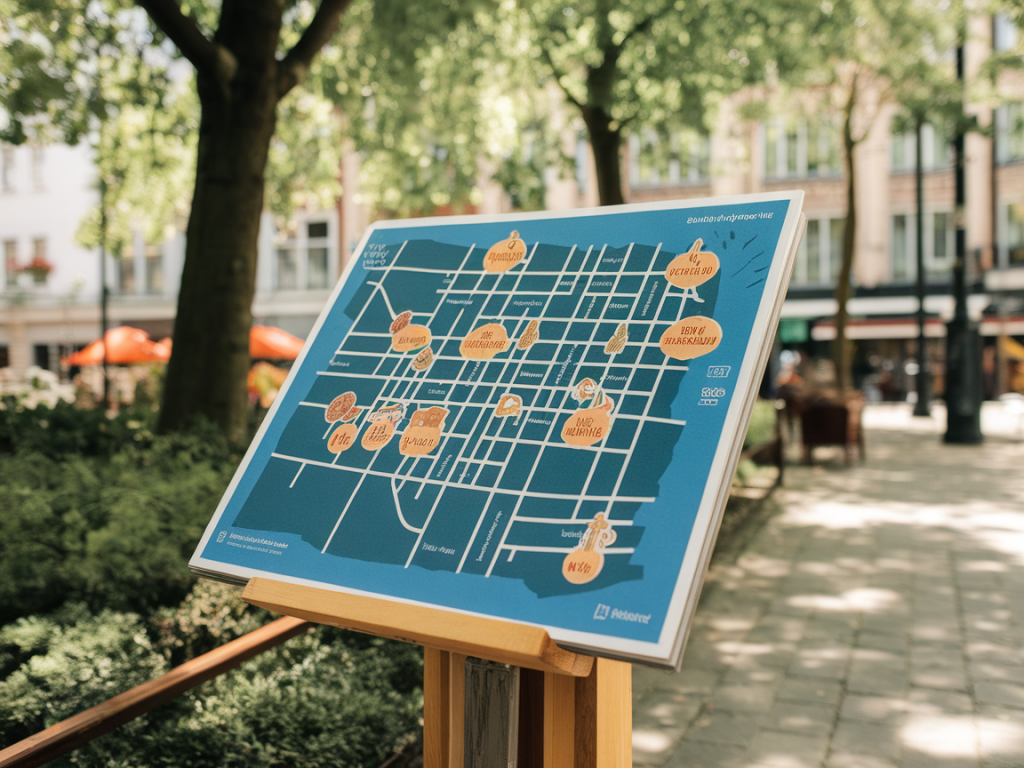
I like to plan walks the way some people plan meals: with a mix of ingredients, textures and a little surprise. Lately, one of my favourite ways to design a route is by mapping a city’s soundscape—the patchwork of noises, silences and audible events that give a place its character. When you tune into sound intentionally, you notice things you would otherwise miss: the rhythm of a market, the hush of a hidden courtyard, the particular rattle of tramlines. Below I’ll walk you through how I map a city by sound and how I turn that map into walks that feel vivid, memorable and a touch uncanny.
Why map sound at all?
Sound tells you about the life of a place in ways that photos and maps rarely do. It reveals human activity (children playing, announcements at a station), time (dawn birds vs. late-night traffic), and even architecture (sound echoes differently in stone alleys than in glass-lined boulevards). For me, a sound-led walk becomes a story with beats: moments of loudness, pockets of quiet, a recurring motif like a church bell or a vendor’s cry. Mapping these features helps you craft routes that surprise and soothe, that crescendo and resolve.
What you need to get started
You don’t need fancy gear to begin. Basic tools I use and recommend:
Smartphone with a decent recorder app (Voice Memos, AudioShare, or the free Easy Voice Recorder).Portable recorder if you want higher fidelity: Zoom H1n or Zoom H4n are compact and affordable. For immersive binaural recordings, look at the Roland CS-10EM earbud mic or dedicated binaural mics by 3Dio.Mapping tool to place sound pins: Google My Maps, Mapbox, or free platforms like uMap (based on OpenStreetMap). Soundmap.org is useful for inspiration and sharing.Headphones for editing and listening back—closed-back for editing, open-back for more natural spatial cues.How I gather sounds in the city
I like to do short, focused listening sessions rather than trying to capture everything. My process:
Choose a neighbourhood or transect—perhaps from a waterfront to an inner-market, or from a university campus to a residential lane.Walk slowly. Pause every few minutes and record 30–60 seconds of ambient sound. These are called “sound sketches.” Try one standing in the middle of a street, one sheltered in an alley, and one inside a café or market if possible.Note the time, weather and precise location. I use Google Maps to grab coordinates and jot down contextual notes (e.g., “weekday lunchtime, delivery trucks; pigeon roosting under bridge”).Record small events too: a busker’s set, a school bell, a bakery opening. These are the accents that make a walk distinctive.Practical recording tips
Hold the recorder steady and point it away from your body to reduce rustle. A simple foam windscreen helps outdoors.Record with at least 24-bit/48kHz if your device allows—higher quality matters when layering later.Keep recordings short and organized. I name files with the date, time and a short label (e.g., 2026-04-10_10-45_MarketSt_Bell).Respect privacy. Don’t record private conversations. When recording performers or people close-up, ask permission if possible.Turning recordings into a sound map
Once I have a handful of sketches, I create a simple map:
Open Google My Maps or Mapbox. Drop pins where you recorded each sketch and add the file or a link to it (SoundCloud, Dropbox, or a public folder on your site).Use different colours or icons for categories: natural (birds, water), mechanical (trams, air conditioning), human (markets, conversations), and quiet zones (parks, courtyards).Add short notes to each pin: what you heard, whether it’s constant or intermittent, and what time it’s most alive.Optionally, create a sequential “list” layer to arrange pins into a route. This is where planning meets curation—decide how you want the walk to progress audibly.How to plan walks from a sound map
I treat the map like a playlist. The aim is to design a narrative with contrasts and recurring motifs:
Beginnings: Start in a place with a clear sonic identity—maybe the soft lapping of river water or a distinctive market murmur. A calm start helps listeners orient.Development: Move toward louder, denser zones: transit hubs, squares, market alleys. This is your walk’s “chorus.”Interludes: Insert pockets of silence—gardens, courtyards, libraries—as counterpoints. The quiet makes the louder moments feel richer.Reprise: Bring back a motif near the end (the bell, the river) to close the walk with a sense of return.Examples from my walks
In Lisbon, I mapped the clack of trams, the echoing alleys in Alfama and a small tram depot’s metallic chorus. A route that threaded tram-licked cobbles into a tiny riverside garden felt cinematic: the trams provided momentum, the garden offered pause.
In a recent London walk, I intentionally placed a pause at a quiet churchyard between two busier sections. The silence wasn’t empty—it was textured by distant traffic and the wind through trees, and when the surrounding noise returned it felt like the city coming back into focus.
Ways to share and use your sound maps
Publish a multimedia map on your blog (you can embed Google My Maps and include audio players for each pin). I often host audio files on SoundCloud or on my own site and link to them from the map.Create guided audio walks using the pins as prompts. Record spoken transitions—short reflections, historical snippets, or prompts to listen closely.Use sound maps for themed walks: “Markets and Machinery,” “Hidden Waters,” or “Nocturnal London.” Themes make it easier to package a route for visitors or friends.Collaborate: invite locals to add pins. Community-sourced soundmaps reveal lived experience you might miss as a visitor.Accessibility and ethics
Sound-led walks can be inclusive—sighted and blind walkers alike experience the city richly through audio. When I design public walks I make sure to:
Offer transcripts or short descriptions for each audio clip so people relying on text can get context.Give clear meeting points and route length/difficulty so participants can plan.Respect performers and private spaces. If a sound is recorded from a private property or a busker performing for money, ask before publishing.Tools and quick comparison
| Tool | Best for | Notes |
|---|
| Zoom H1n | Portable field recording | Excellent value for quality; handheld and easy to use |
| SoundCloud | Hosting/sharing audio | Embeddable players and easy sharing |
| Google My Maps / Mapbox | Placing pins / building routes | My Maps is simple; Mapbox offers styling and more control |
| 3Dio / Roland CS-10EM | Binaural recording | Creates immersive stereo for headphones; great for evocative walks |
Mapping a city’s soundscape turns route planning into an act of listening and telling. Once you start, you’ll notice your usual routes differently: a street you pass without thinking may reveal itself as a tiny symphony. And when you walk with a plan built from those sounds, the city feels less like a backdrop and more like an orchestra you’re part of.